
For designers who make monthly social content for brands
Stop rebuilding the same post in six sizes every month
Write a client's brand down once: colours, fonts, type scale, logo and sizes. Plan the month in one sheet the client approves. Then the kit builds every post in every size in the tool you already use, with the brand's own swatches, styles and logo, still fully editable.
- R249 once-off. No subscription, use it for every client you have.
- Builds in Illustrator and Figma, with templates for Photoshop and InDesign and a method for Affinity and Canva.
- Seven AI prompts that turn a brand guide into the brand file and write the month's posts in the brand's voice.
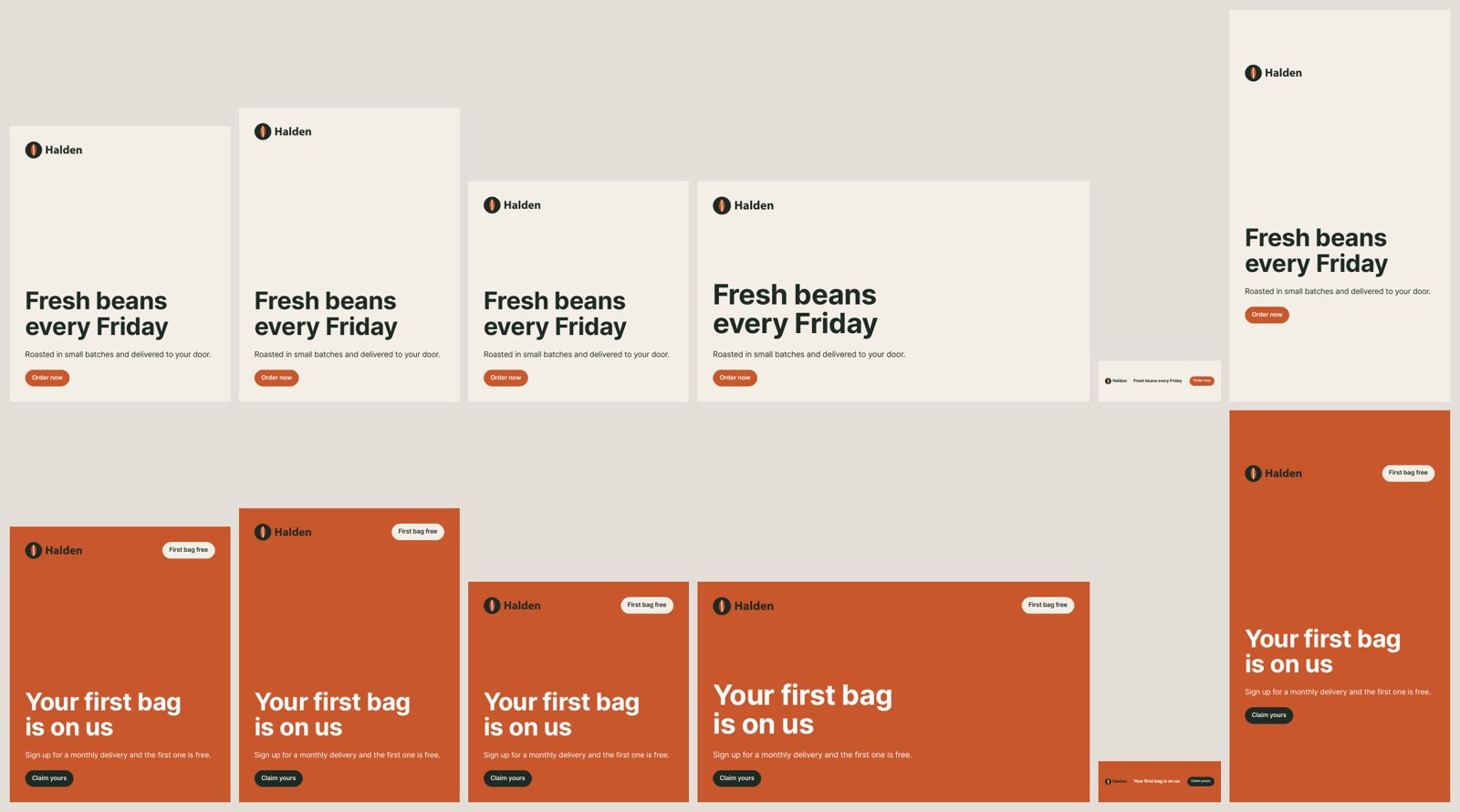
Sound familiar? The client sends the month's copy in an email. You design the post, then resize it five times, nudging the logo and rewrapping the headline in every size, checking the brand guide for the hex code you've typed a hundred times. Next month you do it all again.
The kit does the rebuilding, so your hours go into the design.
From brand guide to a month of posts
- 1
Write the brand once
One file per client: colours by role, fonts, type scale, logo, margins, button shape, sizes, voice. AI prompt 1 writes it from the brand guide PDF and lists what to ask the client.
- 2
Plan the month in one sheet
One row per post: date, headline, body, button, photo, caption. The client approves rows in the same sheet, and only approved posts get built.
- 3
Build every post
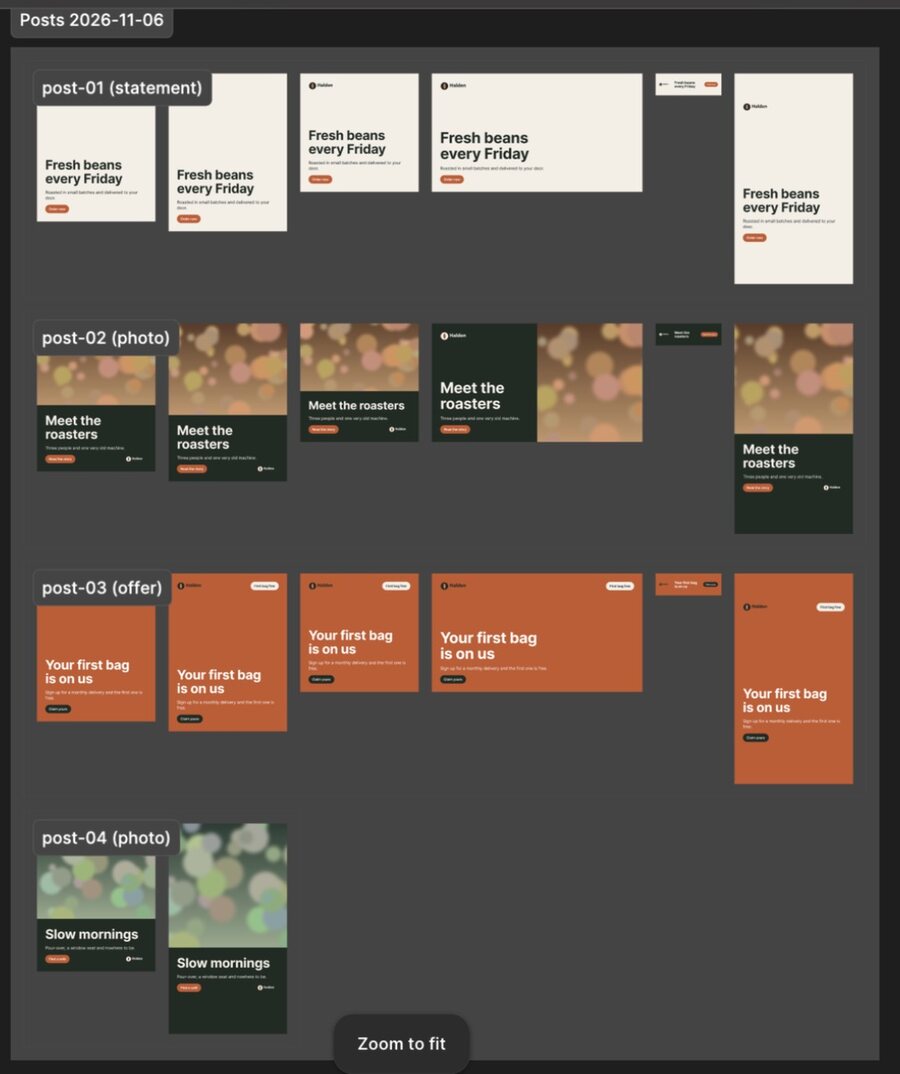
Run the script or plugin. Every post comes out in every size, laid out for each shape, with real swatches, styles and the logo as a symbol or component.
- 4
Check and hand over
Refine anything by hand: nothing is flattened. Go through the handover checklist, export, and the next month starts from the same files.
Real output from the test runs
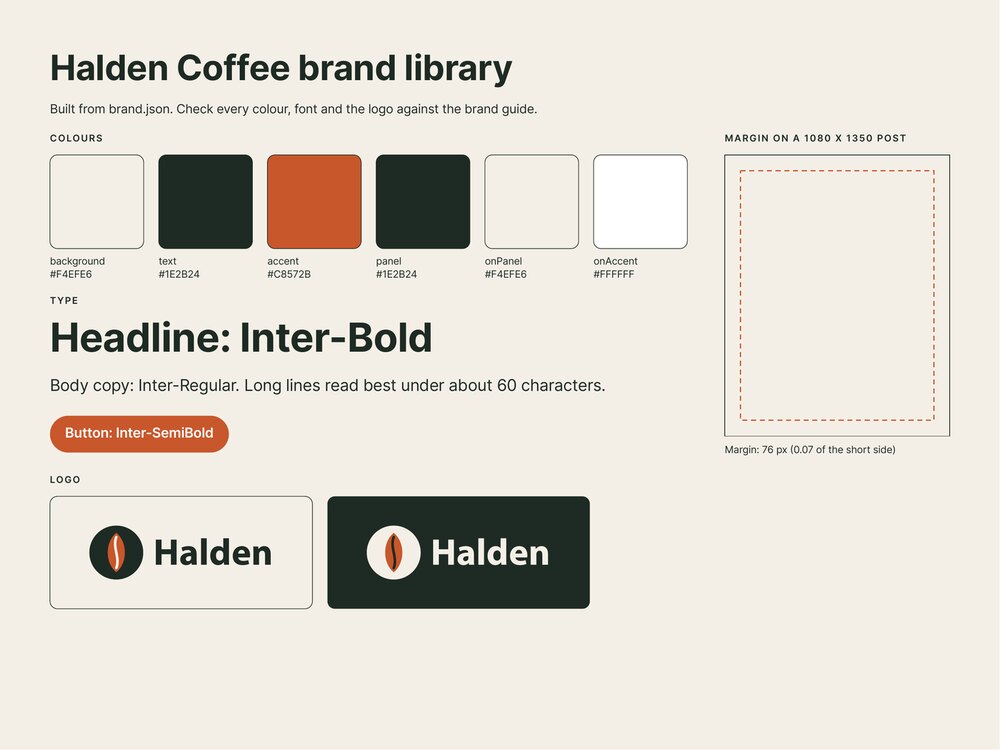
A made-up coffee brand, built in each tool from the same brand file and plan.
Works in the tool you already use
Illustrator
Scripts build global swatches, character styles, logo symbols and a named artboard for every post and size.
Builds for you · testedFigma
A plugin for the desktop app builds variables, styles, components and instances. Works on the free plan.
Builds for you · testedPhotoshop
A script builds layered templates. Data sets fill them from the plan, and a second script saves a PNG per post.
Templates · testedInDesign
A script builds a template per layout with a page per size. Data Merge makes every post in every size.
Templates · testedAffinity and Canva
The planner writes the file their Data Merge and Bulk Create read. You make the template once; the guide shows how.
Step-by-step methodWhat's in the kit
The brand file
brand.json for each client, with a worked example client and its brand guide to practise on.
Illustrator scripts and Figma plugin
Build the brand library and every post in every size. Re-run any time the plan changes.
Templates for other tools
Builders for Photoshop and InDesign templates, and the export for Photoshop.
The Content Planner
A Google Sheet per client: the plan, approvals, captions, and a tab for each tool's file.
Seven AI prompts
Brand guide to brand file, plan the month, apply feedback, image briefs, check images, fix an error, change a script.
Guide and three checklists
A 10-page guide, plus checklists for the brand guide, the monthly cycle and handover. Email help too.
It's for you if
- You make social posts every month for one or more brands, as a freelancer, a studio or in-house.
- You use Illustrator, Figma, Photoshop, InDesign, Affinity or Canva Pro.
- Your clients have a brand guide, or you can write one with them.
It's not for you if
- Every post you make is a one-off with its own layout. The kit is for posts that follow a system.
- You need video or animated posts. It builds still posts.
- You want posts scheduled and published for you. It makes the files and the captions; your scheduler posts them.
Running a studio with many brands? We set up the brand system for you, from every client's brand file to your monthly flow. Book a free 20-minute call.
The Brand System Kit
R249 once-off
- Illustrator scripts and a Figma plugin
- Photoshop and InDesign templates, Affinity and Canva method
- The Content Planner and seven AI prompts
- 10-page guide, three checklists and email help
Your links arrive by email as soon as you've paid, and show on screen too. You'll download the kit files and make your own copy of the planner in Google Sheets.
Questions
Do I need to know how to code?
No. You edit one small text file per client, brand.json, and AI prompt 1 writes it for you from the brand guide. Running the kit is File > Scripts in Adobe apps, or one plugin window in Figma.
Will every post look like a template?
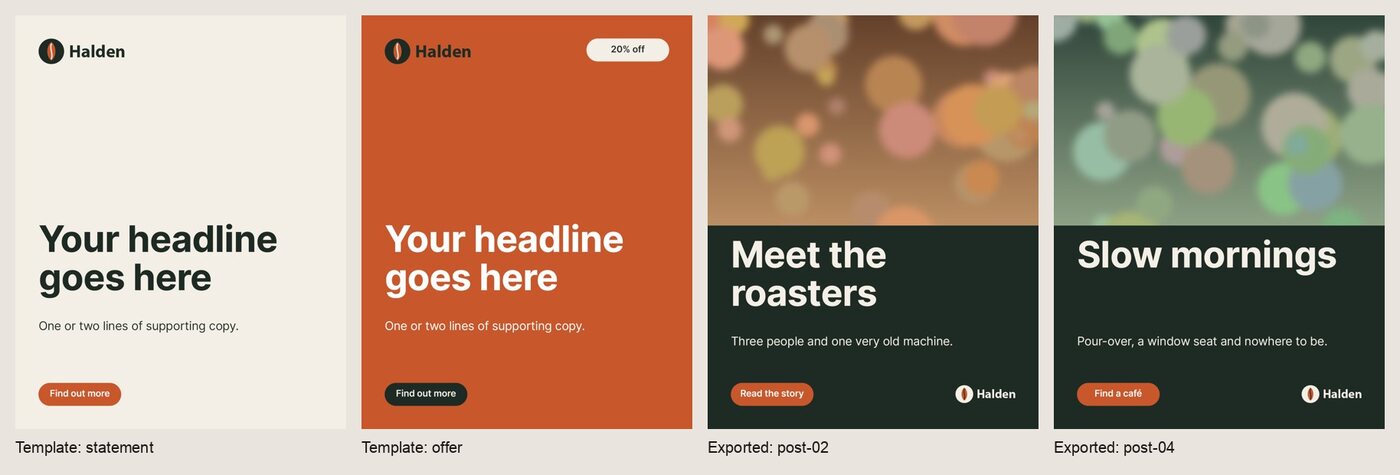
The kit gives you three layouts (a statement, a photo post and an offer) in the brand's own colours, fonts, logo and button shape, laid out for each size. Everything stays editable: restyle the templates, change any post by hand, and add your own design on top. It does the repetitive part, not the design thinking.
Does it work on the free Figma plan?
Yes. It was tested on Figma's free Starter plan, and uses two pages of the three a free file allows. You need the Figma desktop app to add the plugin.
Can I use it for all my clients?
Yes. Use it for your own work and your clients' work, for as many brands as you like. You can't give the kit's files to clients or anyone else, or resell it.
Mac or Windows?
The kit was built and tested on a Mac. Adobe's scripting and the Figma desktop app also run on Windows. If something doesn't work on yours, email us and we'll fix it or refund you.
What sizes does it make?
Whatever sizes the brand file lists. The example has six: portrait 1080x1350, tall 1080x1440, square, landscape 1920x1080, email banner 600x200 and story 1080x1920. Add or remove sizes in one place. The Export and Handover Pack adds 14 checked sizes for Meta, LinkedIn, email and X.
Which AI does it work with?
The prompts work in ChatGPT, Claude or Gemini. You copy a prompt, fill in the brackets, attach the file it asks for, and paste the answer into the kit. AI gets things wrong, so the prompts ask it to flag gaps, and the guide reminds you to check every fact before it goes to a client.
How do I get the kit after I pay?
Straight away. Your links show on screen after payment and arrive by email from kits@underbridges.co.za: a download for the kit files, and a link to make your own copy of the planner. If you don't see the email, check your spam folder or write to info@underbridges.co.za.